Desktop app
Life OS
A desktop app that keeps a school year and a personal to-do list in one calm place.
- Role
- Designed and built
- When
- 2026 – present
- Status
- v0.3
- Built with
- Tauri 2, React, TypeScript, Rust, chrono-node, Google Calendar API
Live demo
Try Life OS
This is the real Life OS interface running in your browser. The desktop backend is swapped for a small in-memory one filled with a sample term, so everything is clickable.
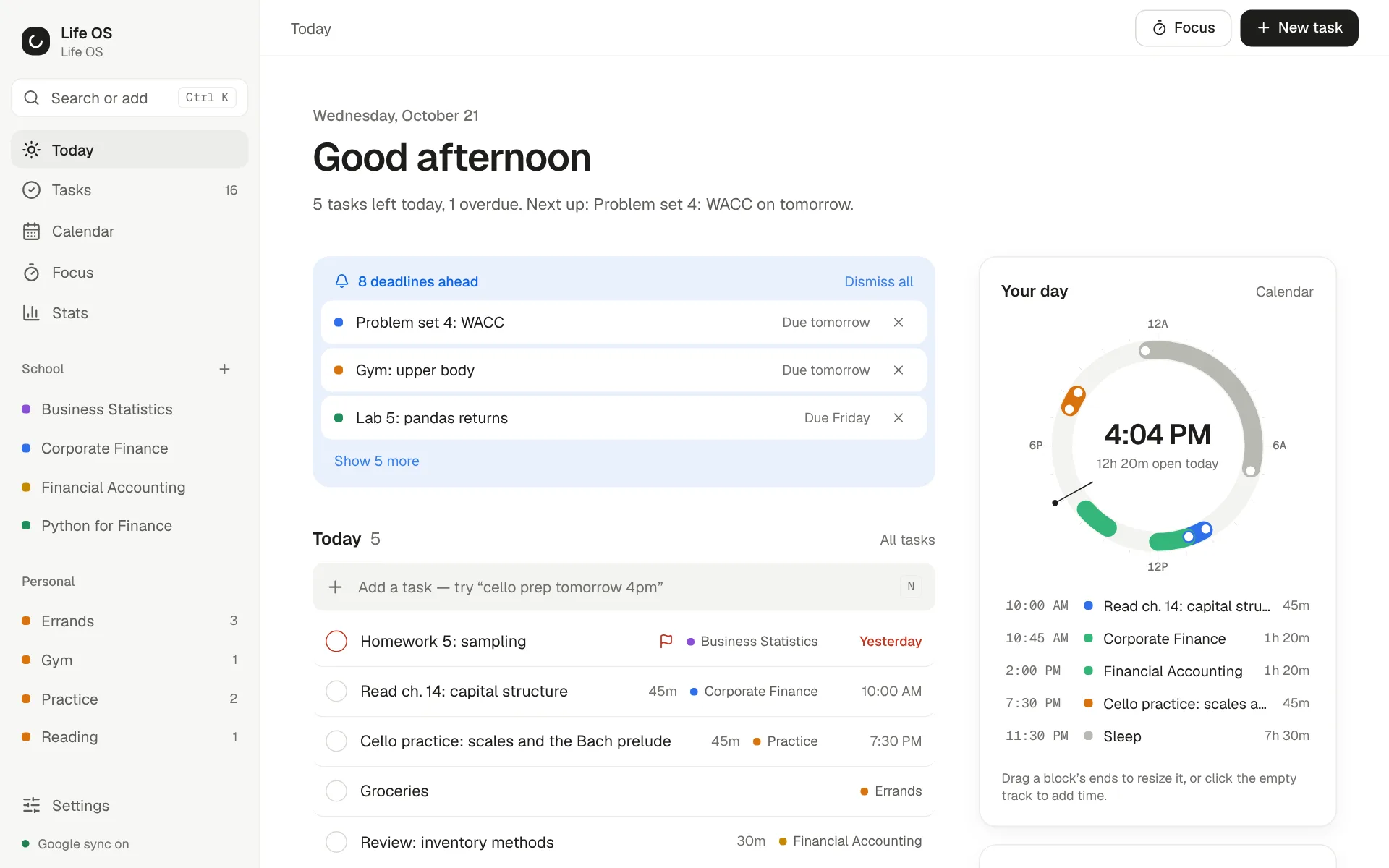
Things to try
- Press Ctrl K (or N) and type "Lab 6 #python thu 11:59pm !high"
- Open Corporate Finance to see weighted grades and GPA points
- Drag an unscheduled task onto the Calendar week
- Start a 25-minute Focus session, then check Stats
Fictional sample data. Google Calendar sync is simulated, and nothing is saved.
Problem
Classes, assignments, grades, calendars and personal tasks usually live in five different apps. Keeping them in sync is its own chore, and none of them answers the simple question of what actually needs doing today.
Approach
One app with two areas, School and Personal, built around a Today view. Adding a task should be as fast as typing a sentence, and the calendar should stay in sync without thinking about it.
Implementation
A Tauri 2 desktop app with React 19 and TypeScript. A single command box parses plain language with chrono-node, so "Lab 5 #python tue 11:59pm !high" becomes a dated, prioritised task in the right class. Google Calendar sync uses debounced pushes, conflict diffing and per-item status. Each class tracks weighted grades against an editable, school-wide letter scale with GPA points. Releases ship through a GitHub Actions workflow to a signed auto-updater, with Vitest and cargo test suites.
Outcome
Version 0.3 is a redesign that slims the app down to School and Personal.